How to Deposit Money and Trade Binary Options at ExpertOption

ExpertOption is a reputable online trading platform that empowers traders to access global markets and trade a wide range of assets, including forex, commodities, cryptocurrencies, and stocks, using binary options. With a user-friendly interface, low deposit requirements, and fast trade execution, ExpertOption is an excellent choice for those looking to engage in binary options trading effectively.
To maximize your trading journey, it is essential to understand how to deposit funds securely and execute binary options trades with confidence. This step-by-step guide will help you get started efficiently on ExpertOption.

How to Deposit Money on ExpertOption
How do I make a Deposit on ExpertOption
You are welcome to deposit using a debit or credit card (VISA, MasterCard), Internet Banking, an e-wallet like Perfect Money, Skrill, WebMoney, or Crypto.The minimum deposit is 10 USD. If your bank account is in a different currency, the funds will be converted automatically.
Many of our traders prefer using E-payments instead of bank cards because it’s faster for withdrawals.
And we have good news for you: We don’t charge any fees when you make a deposit.
Deposit on ExpertOption using Bank Cards (VISA/ MasterCard)
1. Visit the ExpertOption website or mobile app.2. Log in to your trading account.
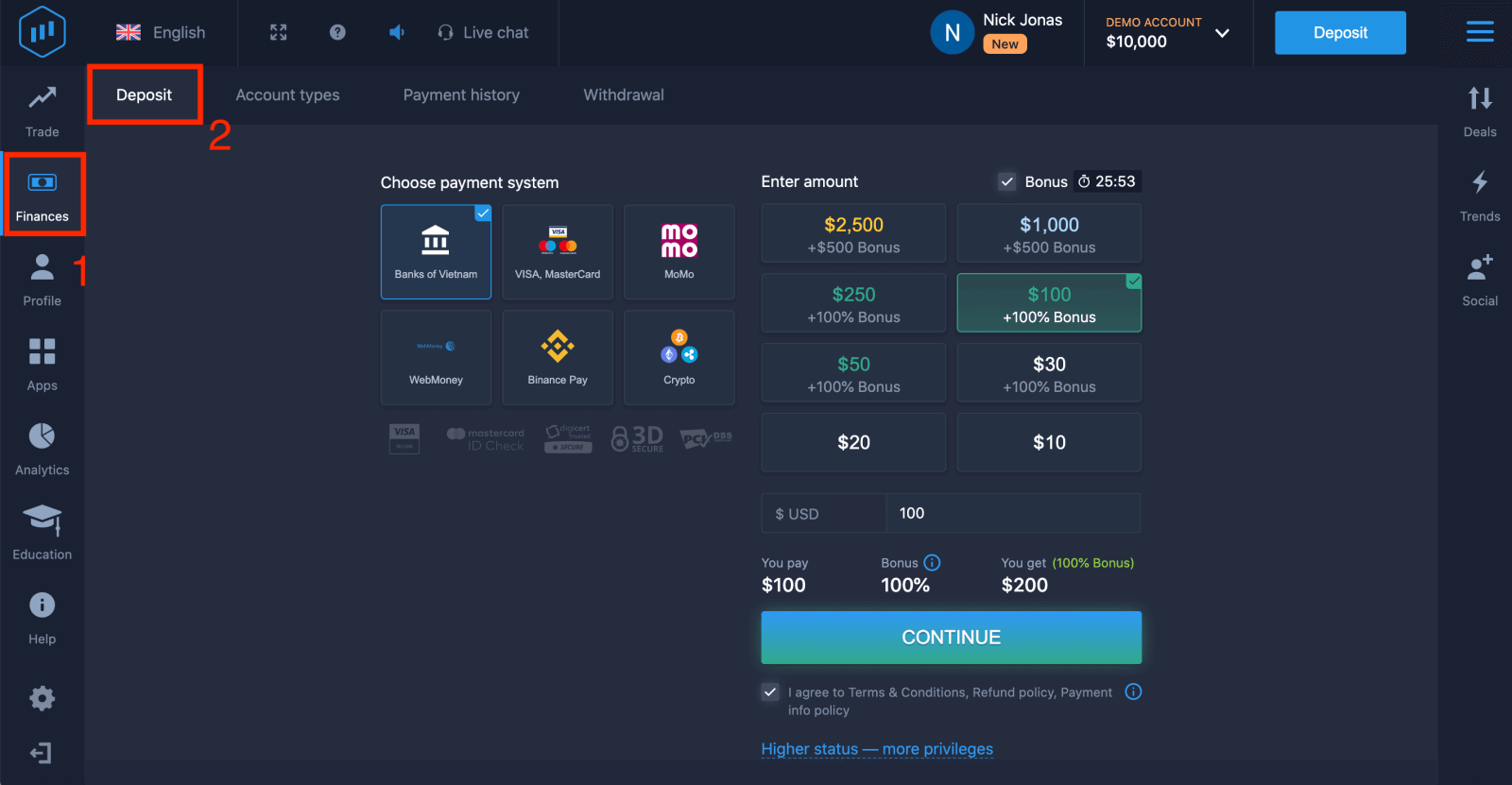
3. Click on the “Finances” on the left upper corner menu and click "Deposit".
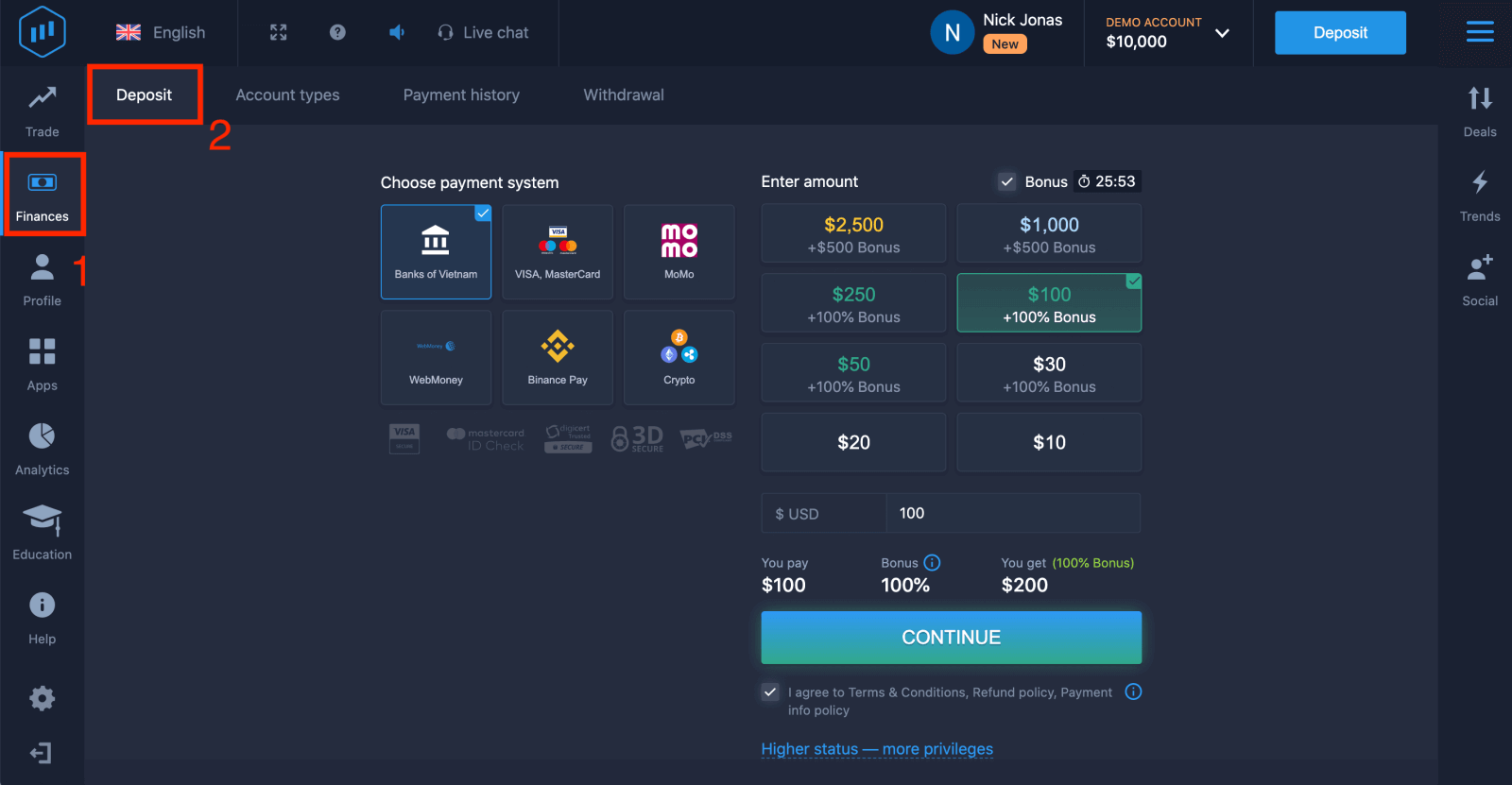
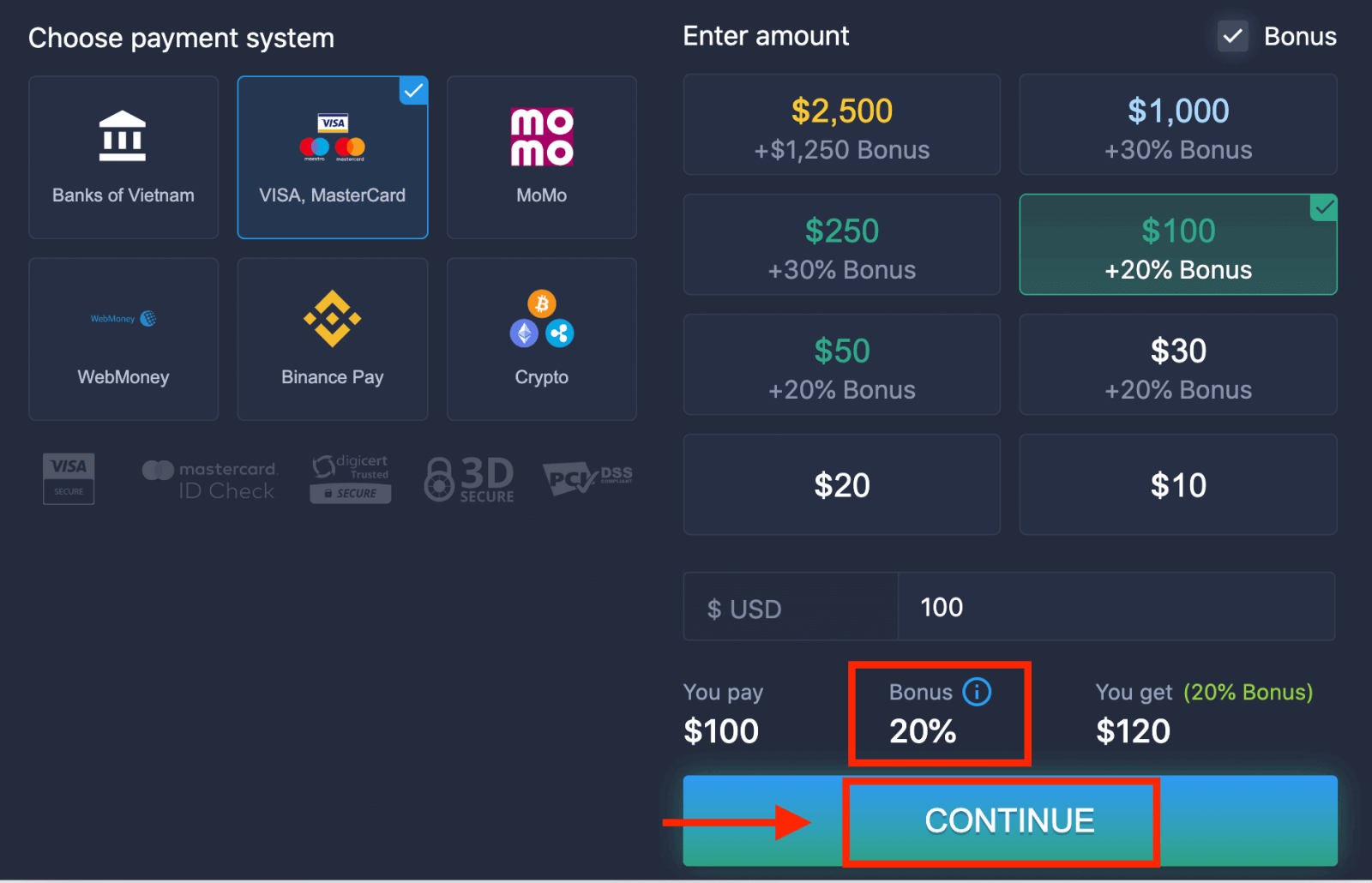
4. There are several ways to deposit funds into your account; you can make deposits via any debit or credit card. The card must be valid and registered in your name and support international online transactions. Select "VISA / MasterCard".
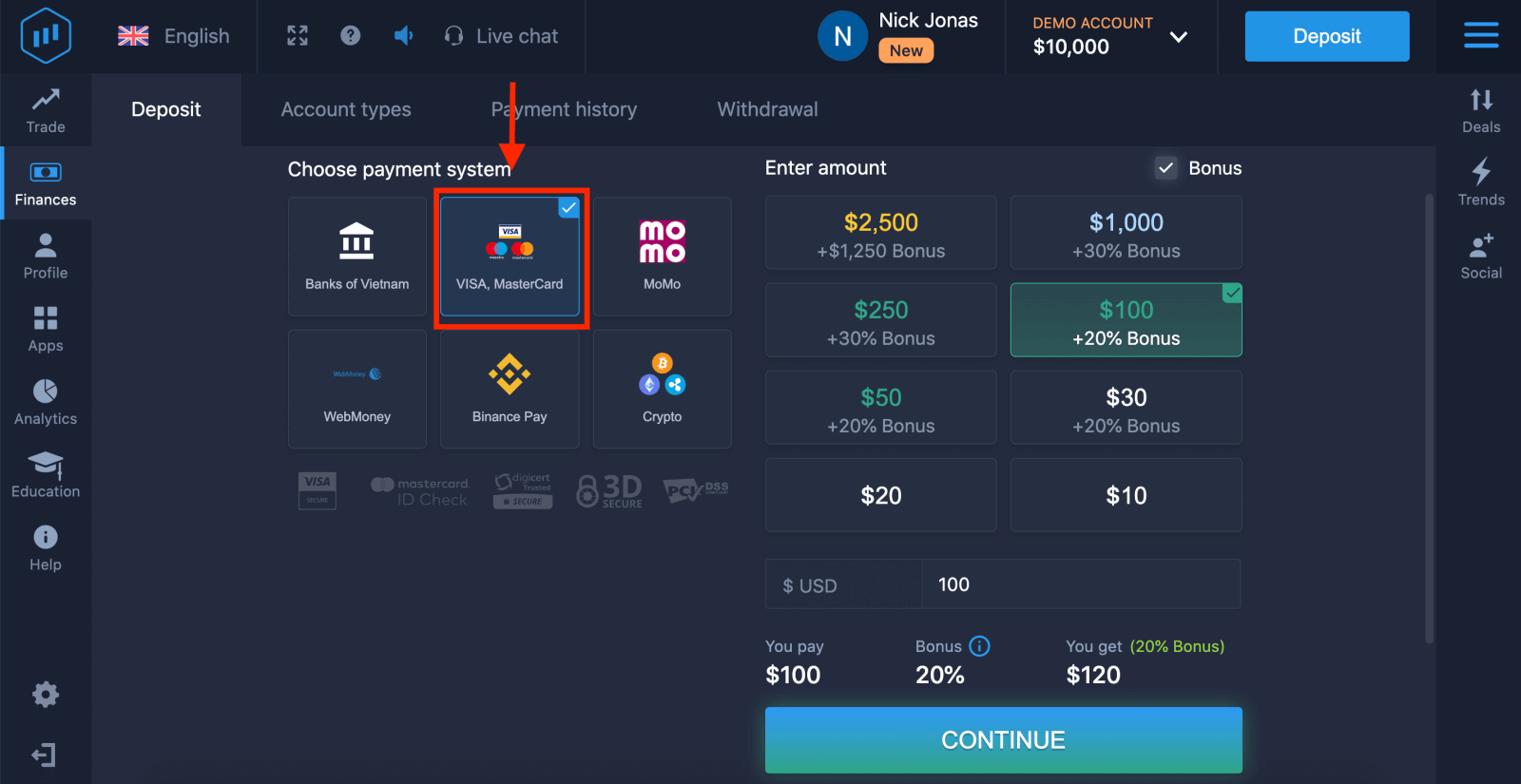
5. You may enter a deposit amount manually or select one from the list.
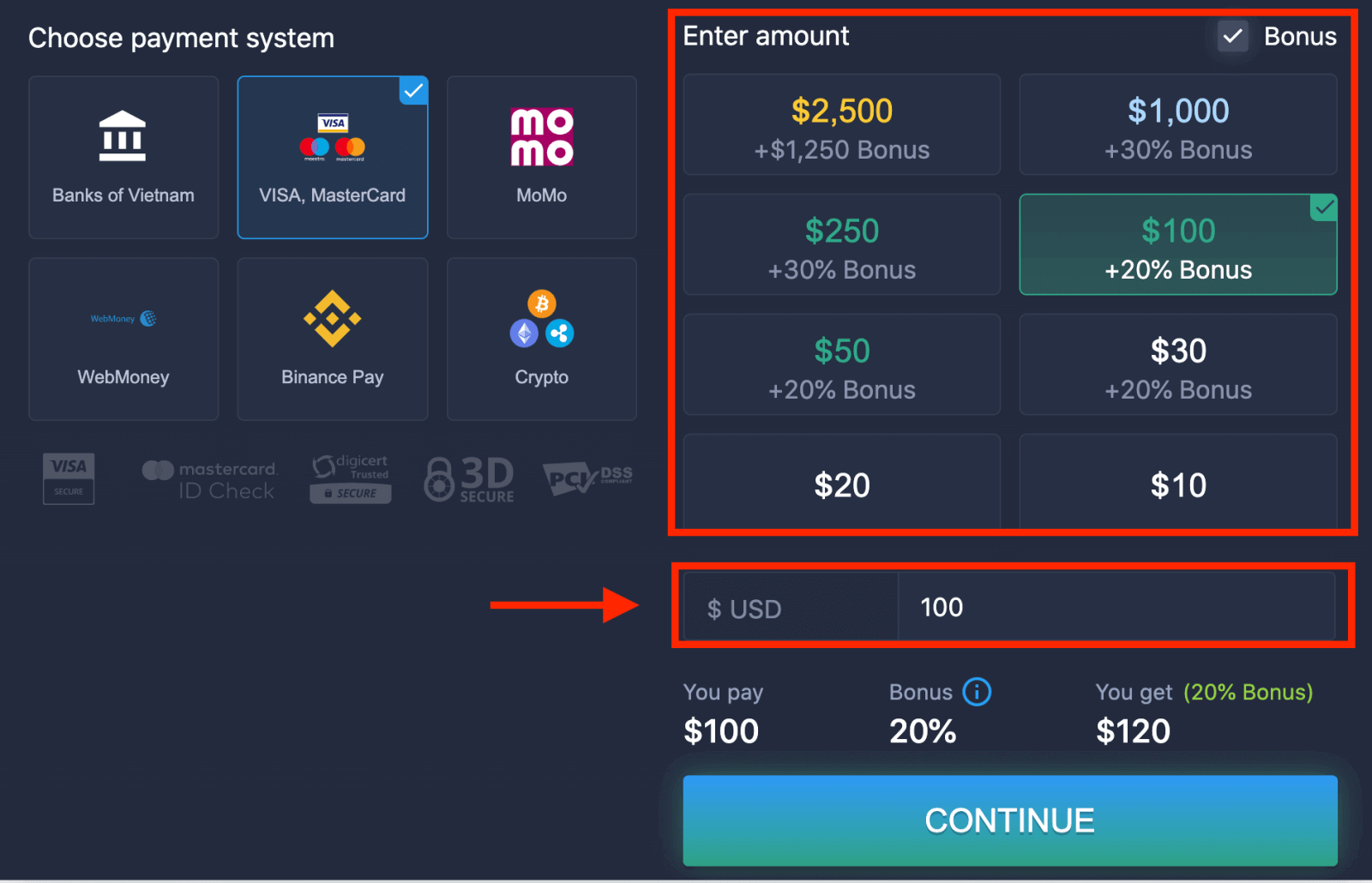
6. The system may offer you a deposit bonus; take advantage of the bonus to increase the deposit. After that, click "CONTINUE".
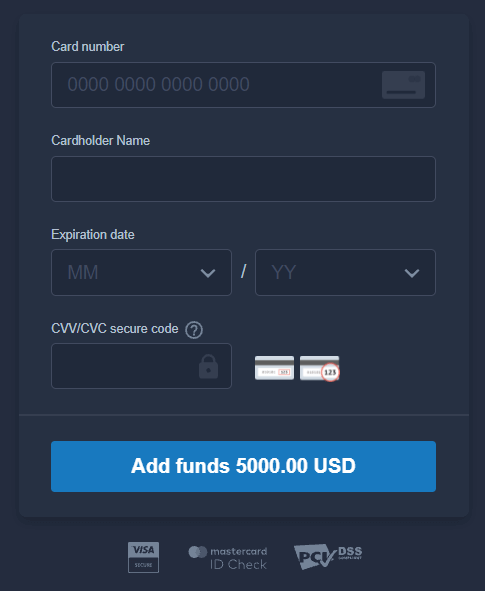
5. You will be redirected to a new page where you will be requested to enter your card number, cardholder name, and CVV.
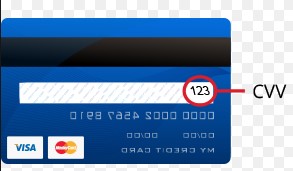
The CVV or СVС code is a 3-digit code that is used as a security element during online transactions. It is written on the signature line on the back of your card. It looks like below.
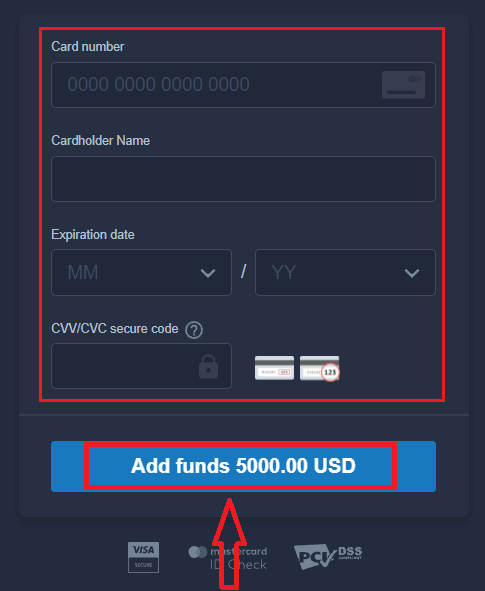
To complete the transaction, press the "Add funds ..." button.
If your transaction has been completed successfully, a confirmation window will appear, and your funds will be credited to your account instantly.
Deposit on ExpertOption using Internet Banking
1. Visit the ExpertOption website or mobile app.2. Log in to your trading account.
3. Click on the “Finances” on the left upper corner menu and click "Deposit".
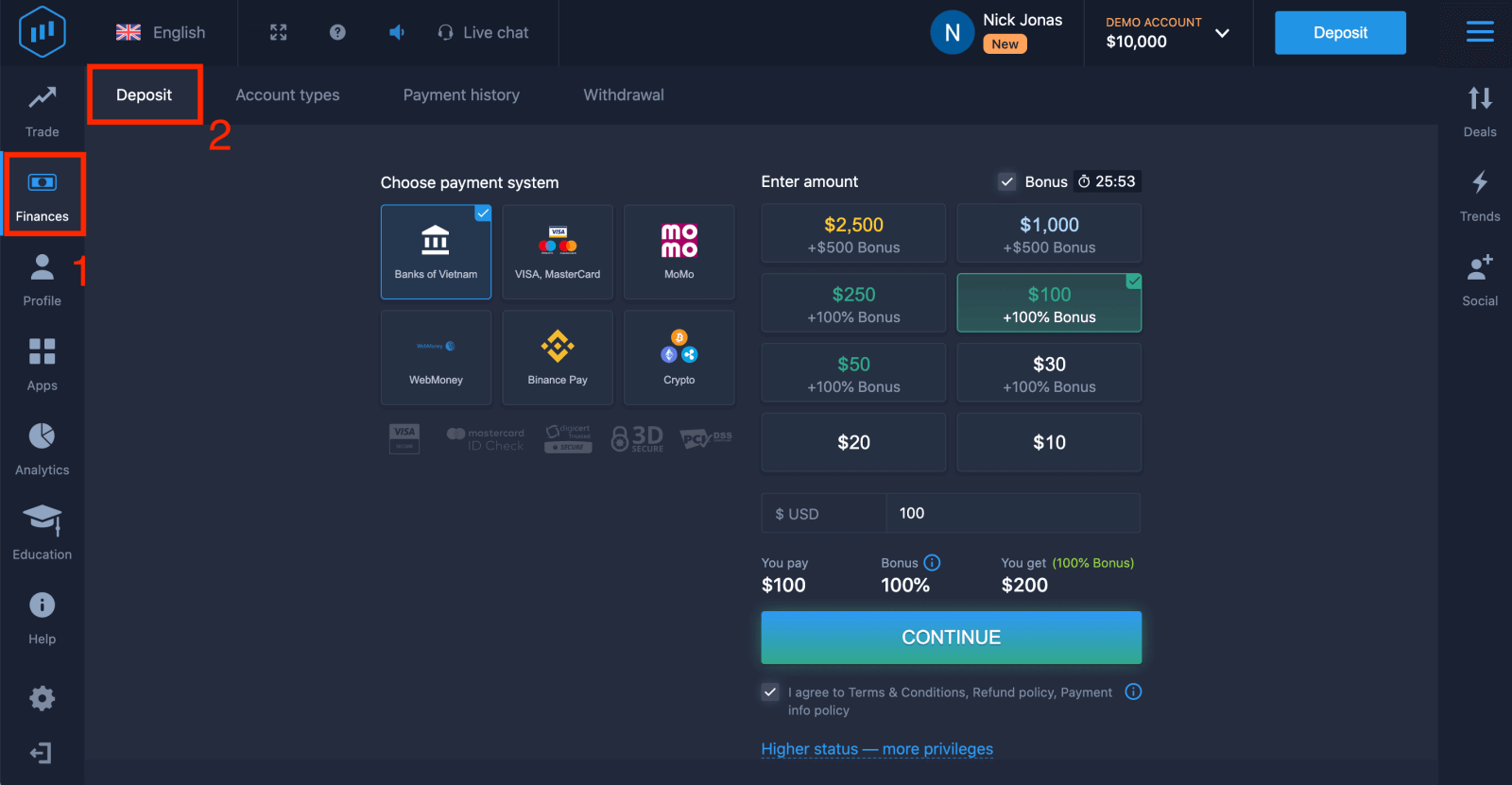
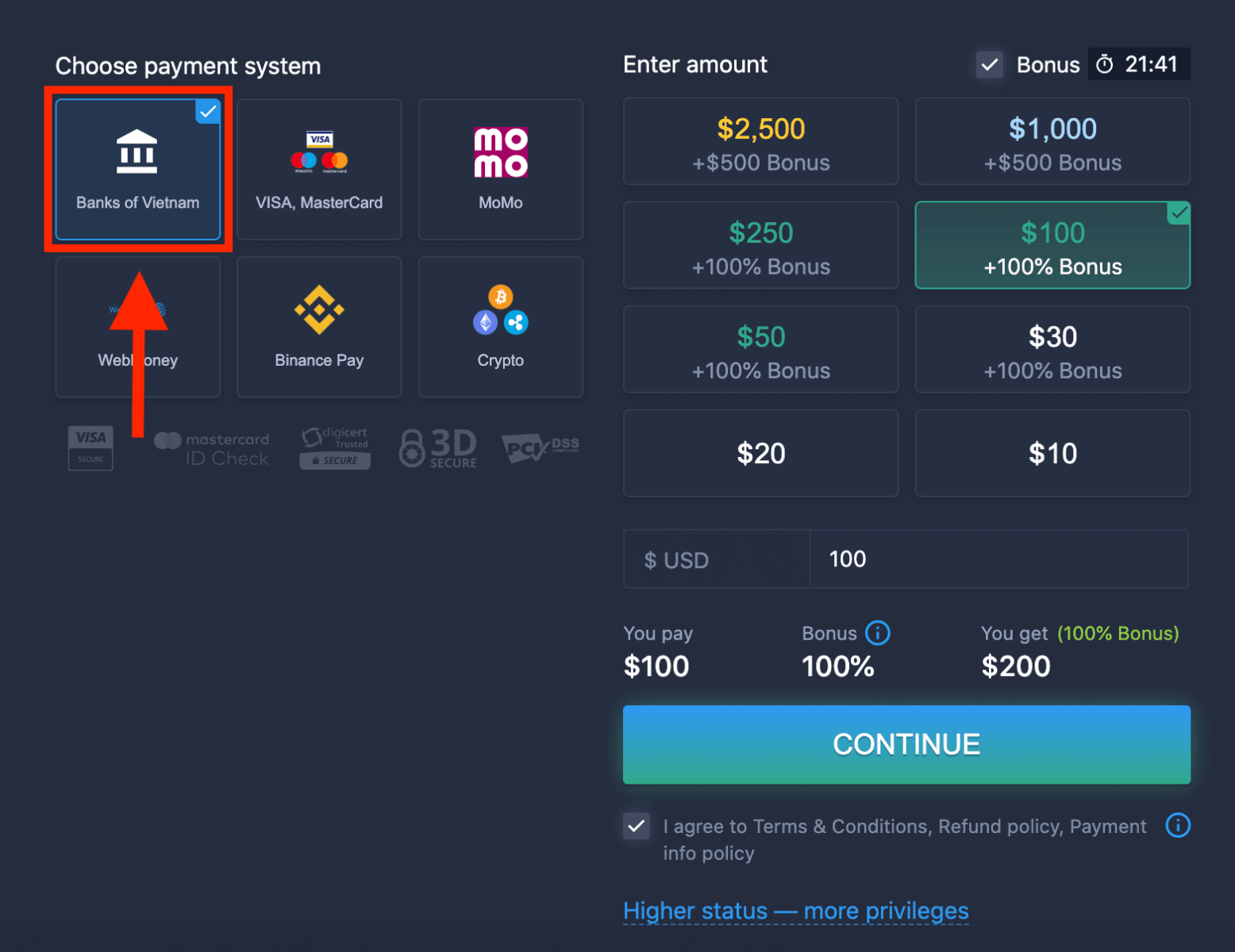
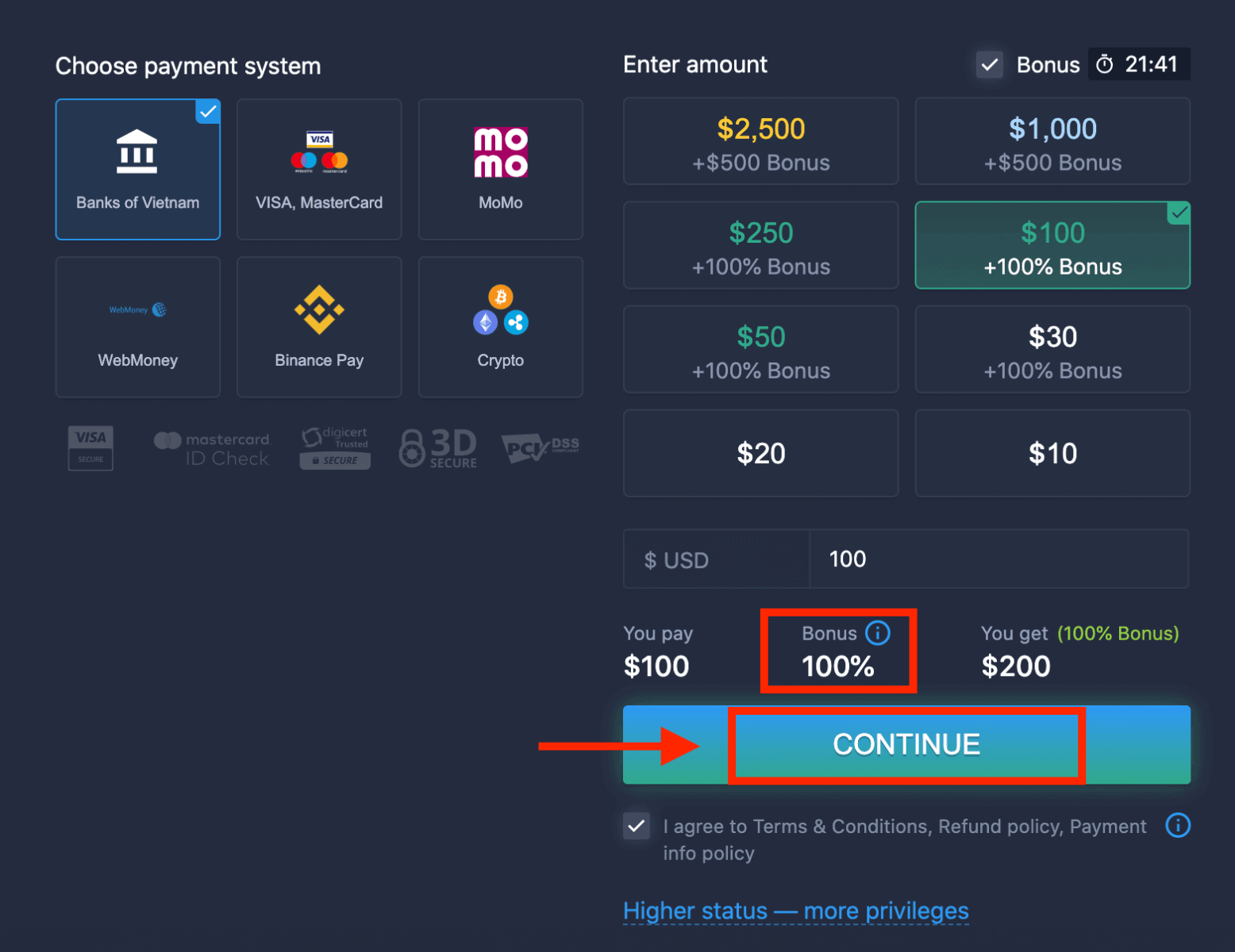
4. Select "Banks of...".
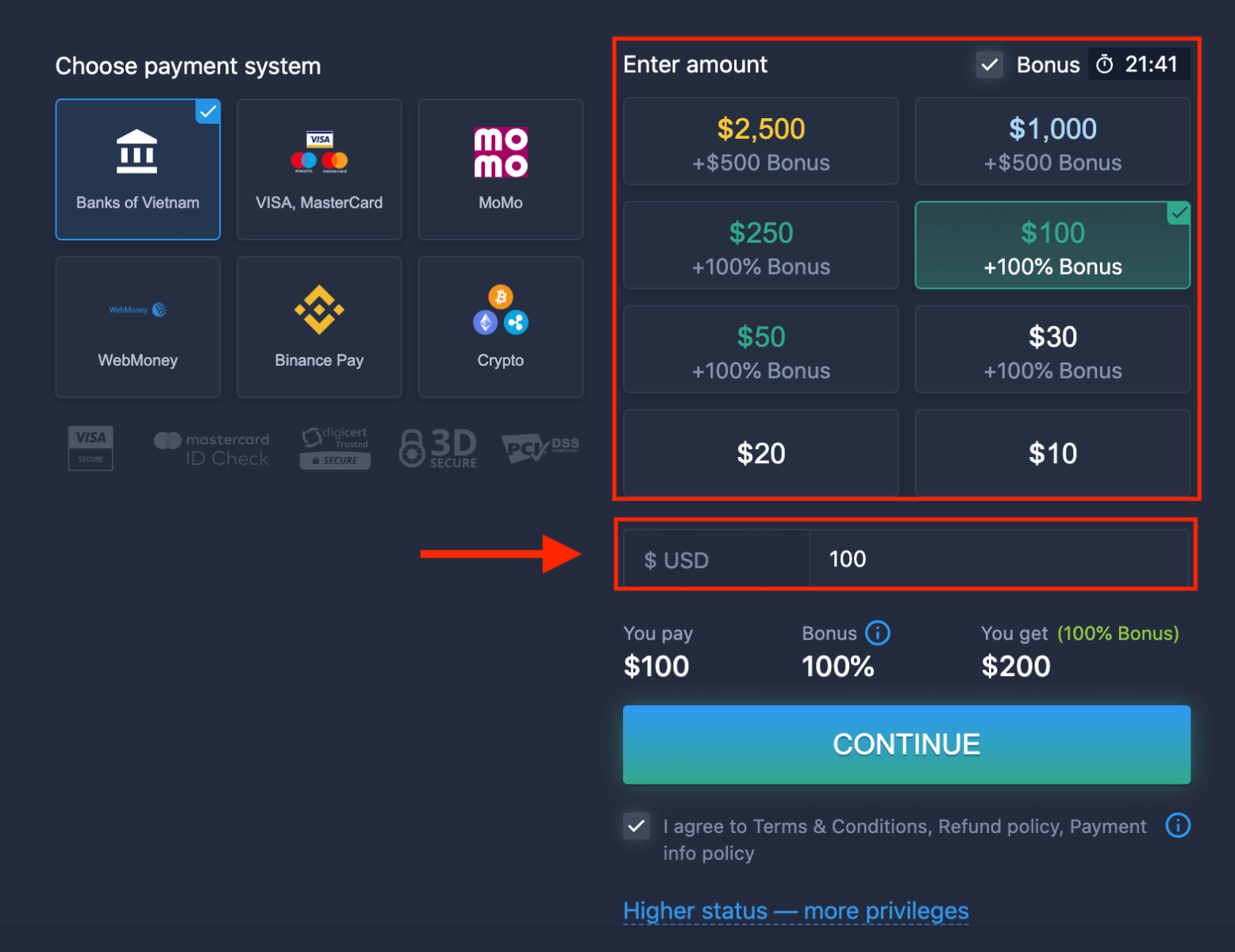
5. You may enter a deposit amount manually or select one from the list.
6. The system may offer you a deposit bonus; take advantage of the bonus to increase the deposit. After that, click "CONTINUE".
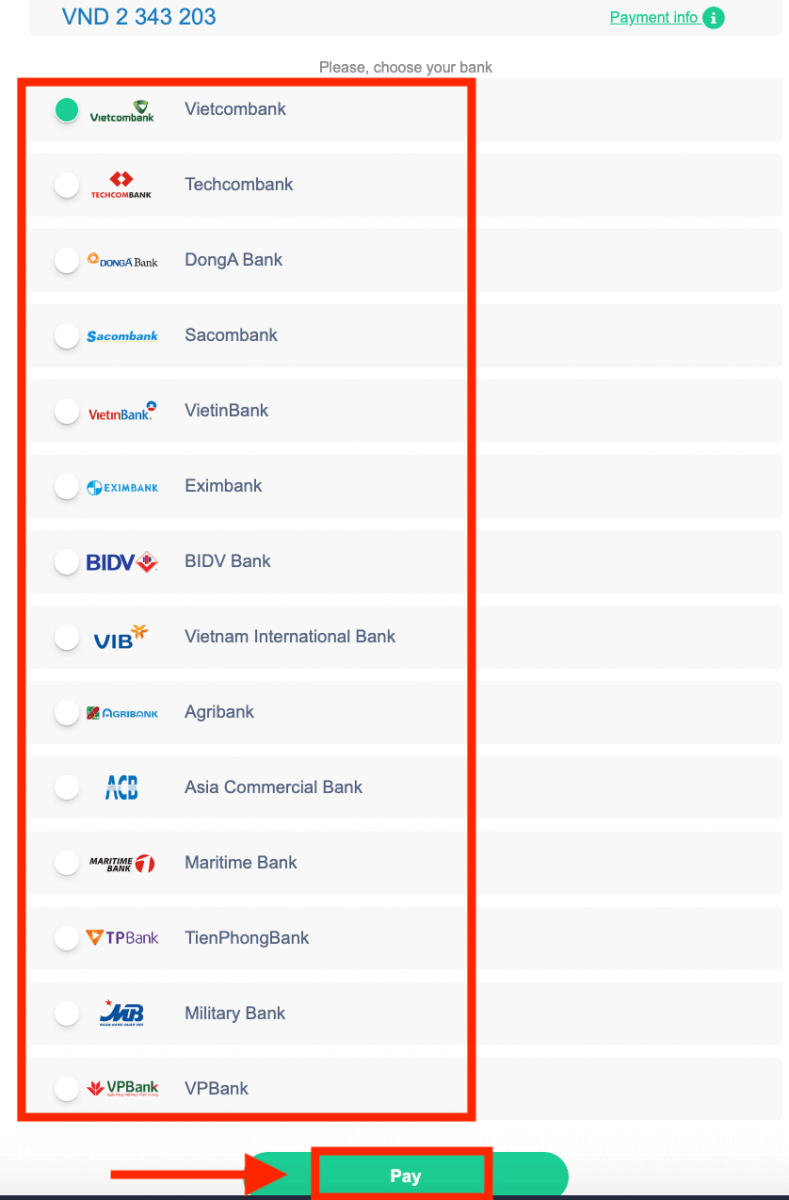
5. You will be redirected to a new page where you need to choose your bank.
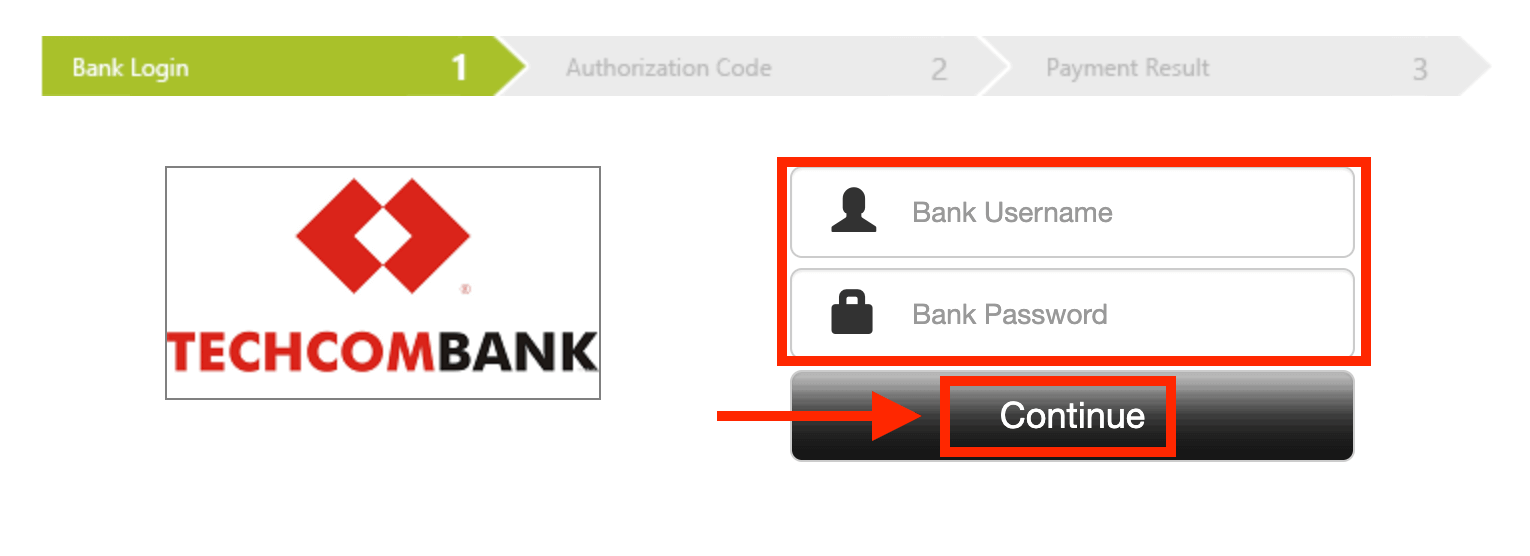
Enter the required data to deposit money to ExpertOption from your bank.
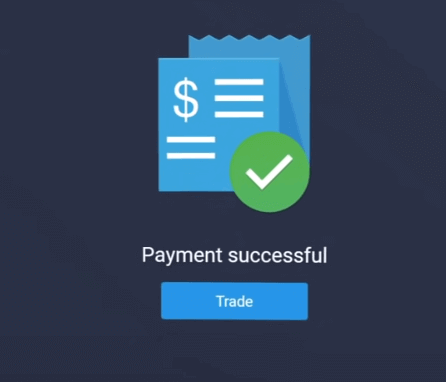
If your transaction has been completed successfully, a confirmation window will appear, and your funds will be credited to your account instantly.
Deposit on ExpertOption using E-payments
1. Visit the ExpertOption website or mobile app.2. Log in to your trading account.
3. Click on the “Finances” on the left upper corner menu and click "Deposit".
 4. Select "WebMoney" as an example.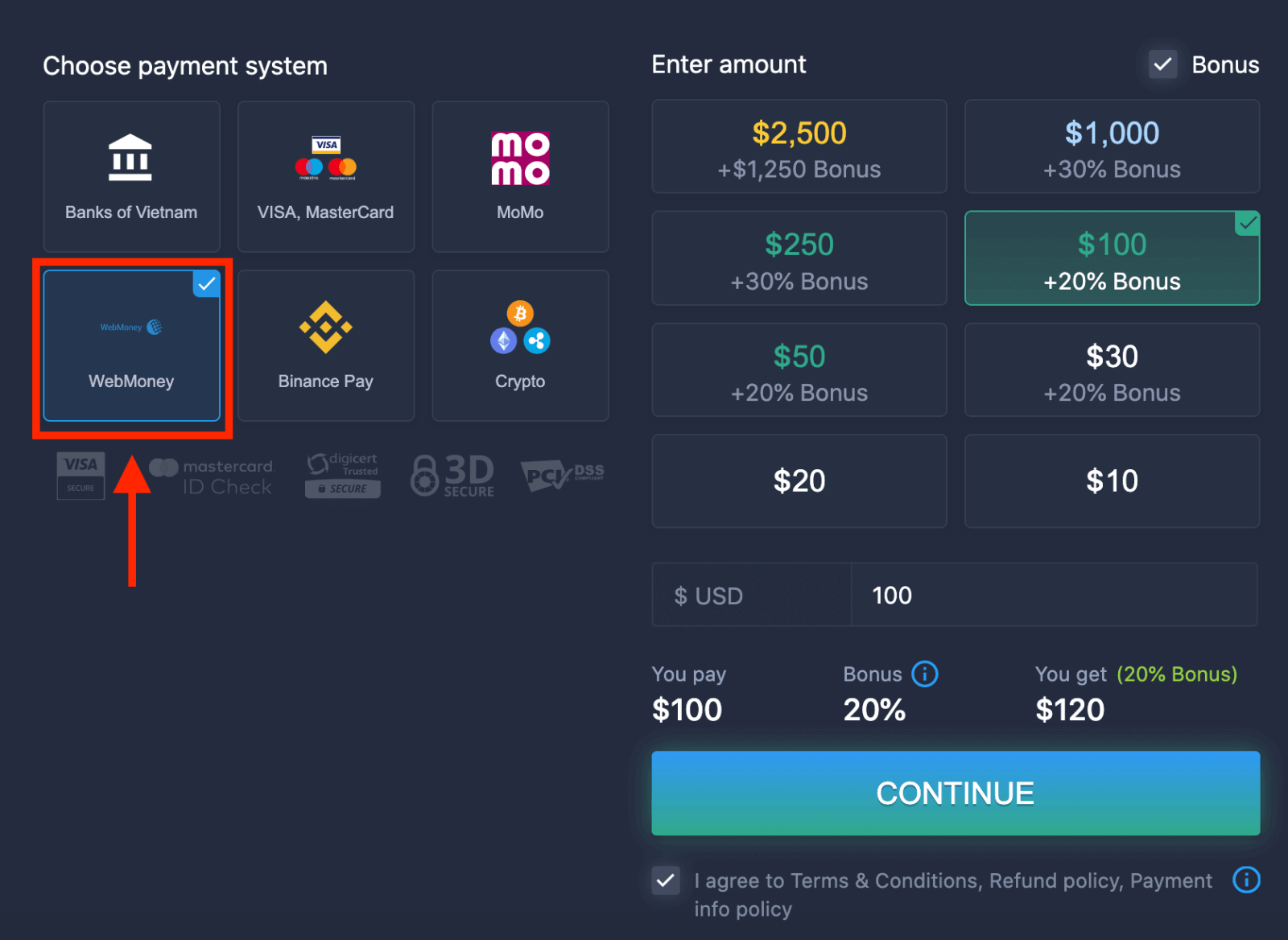
5. You may enter a deposit amount manually or select one from the list.
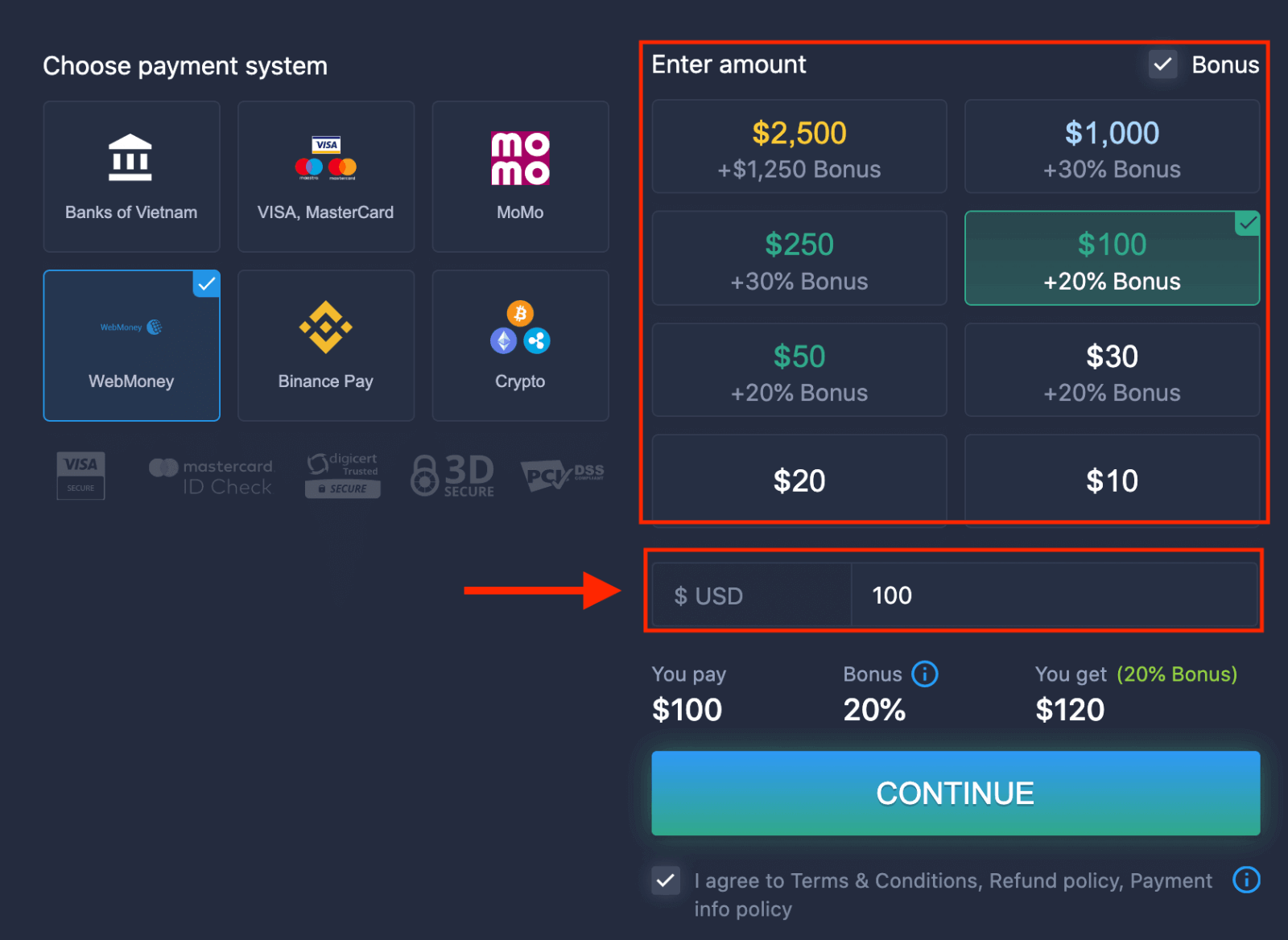
6. The system may offer you a deposit bonus; take advantage of the bonus to increase the deposit. After that, click "CONTINUE".
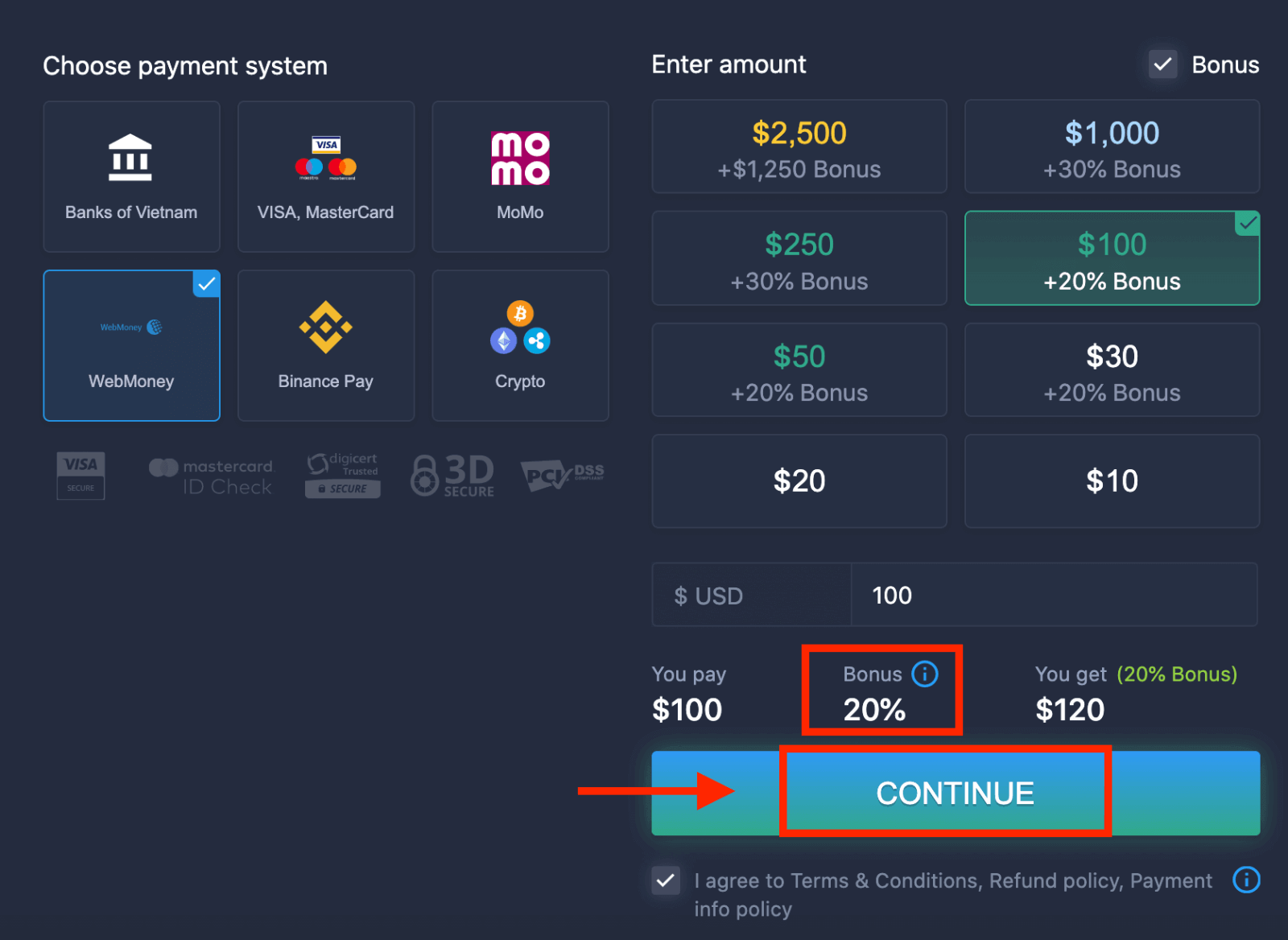 5. You will be redirected to a new page where you need to enter the required data to deposit money to ExpertOption.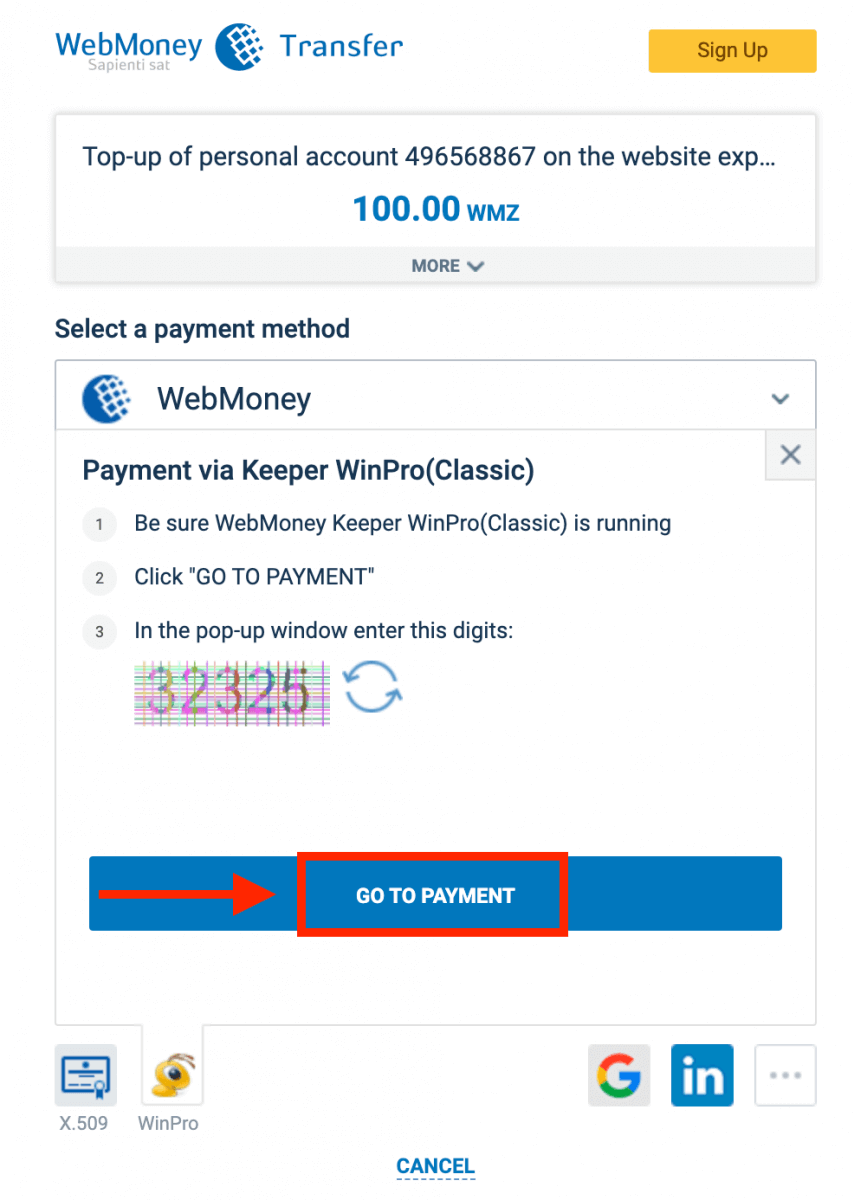
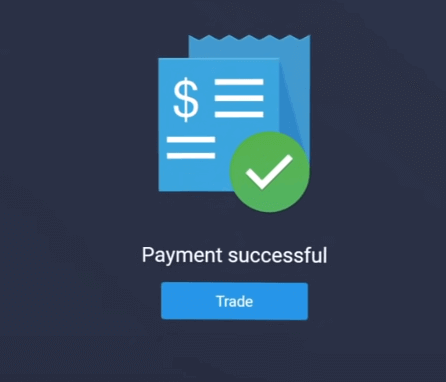
If your transaction has been completed successfully, a confirmation window will appear, and your funds will be credited to your account instantly.
Deposit on ExpertOption using Crypto
1. Visit the ExpertOption website or mobile app.2. Log in to your trading account.
3. Click on the “Finances” on the left upper corner menu and click "Deposit".
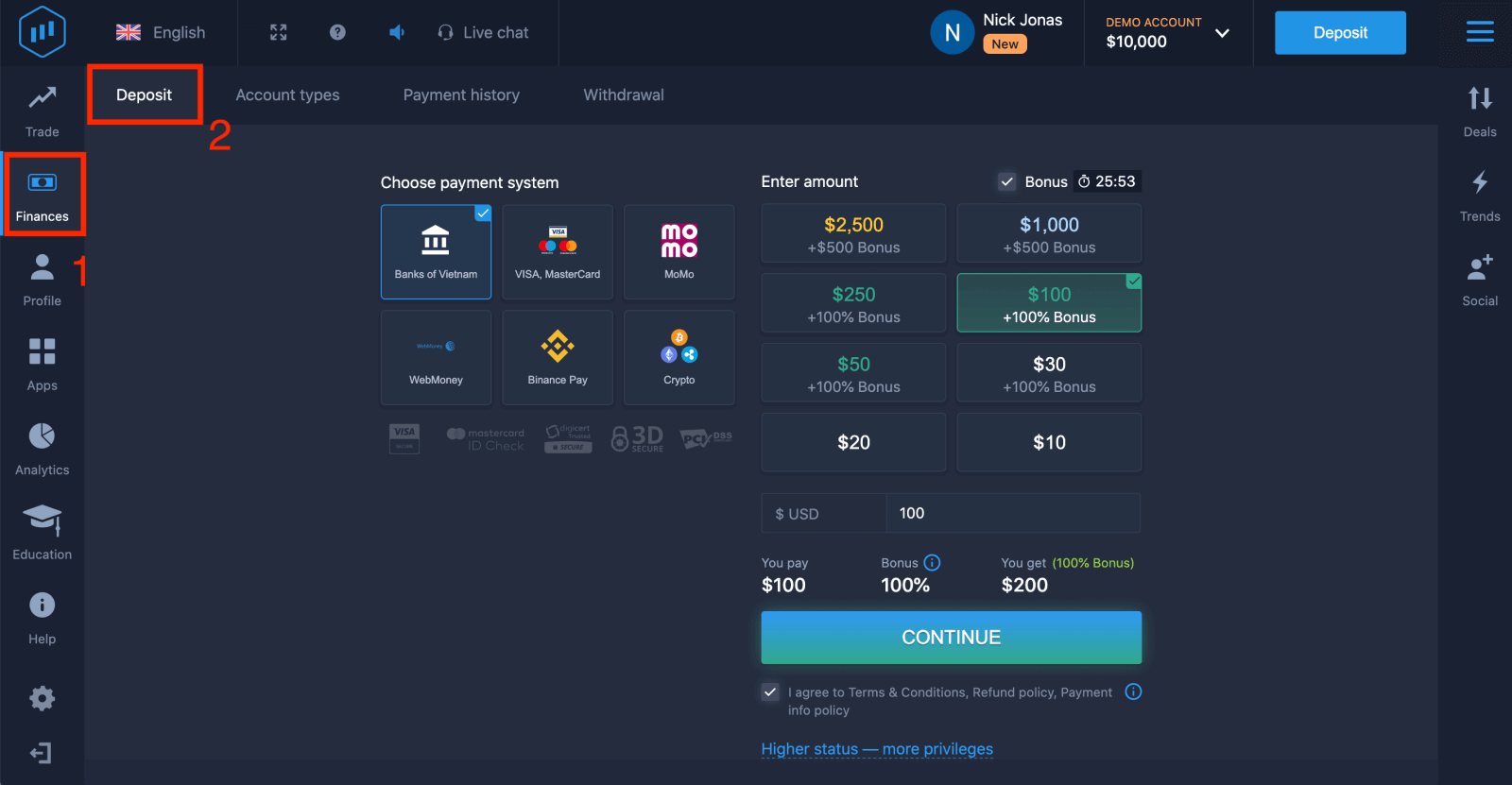 4. Select "Crypto" or "Binance Pay".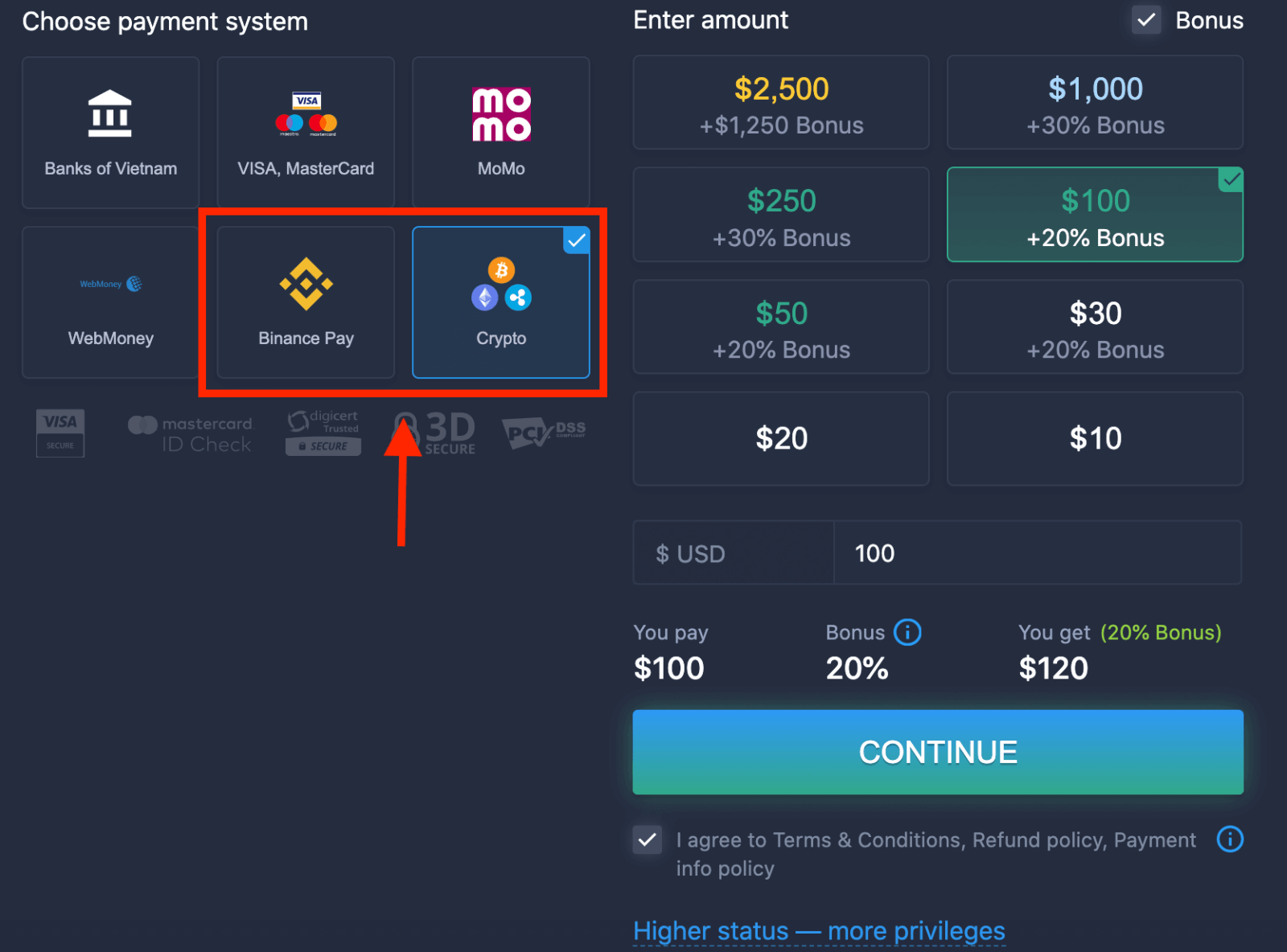
5. You may enter a deposit amount manually or select one from the list.
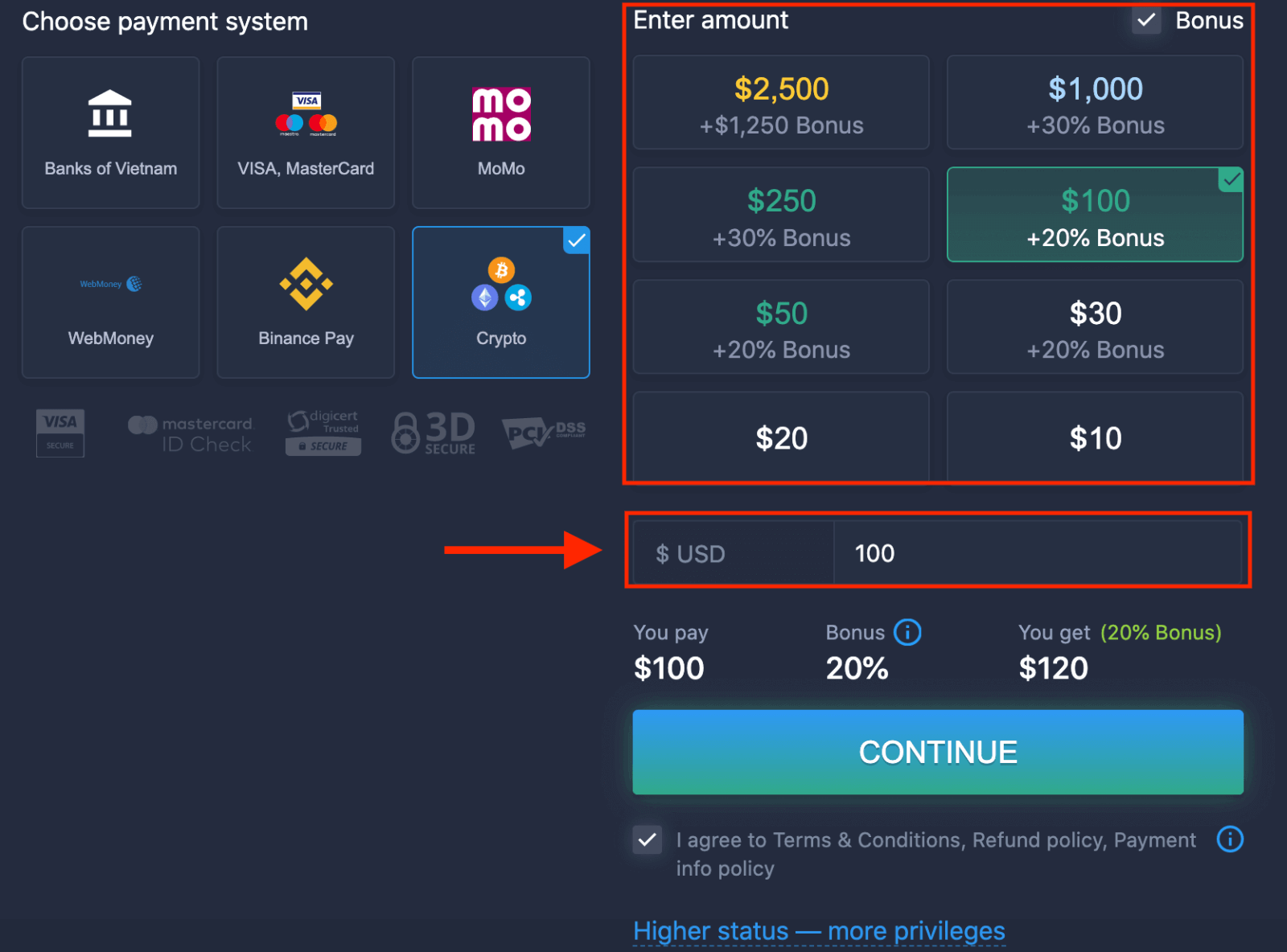
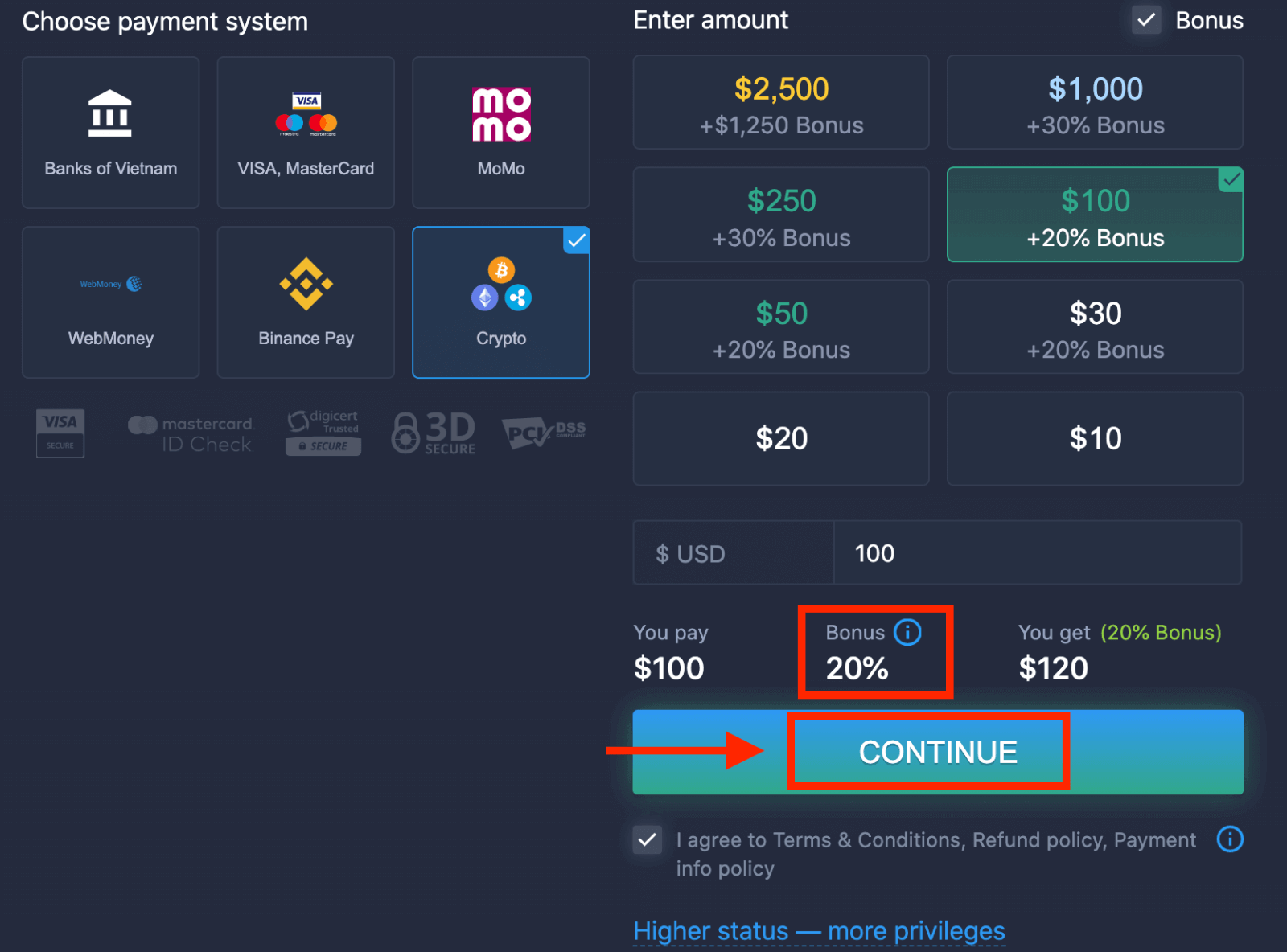
6. The system may offer you a deposit bonus; take advantage of the bonus to increase the deposit. After that, click "CONTINUE".
5. You will be redirected to a new page where you can get the address and send exactly the crypto to that address.
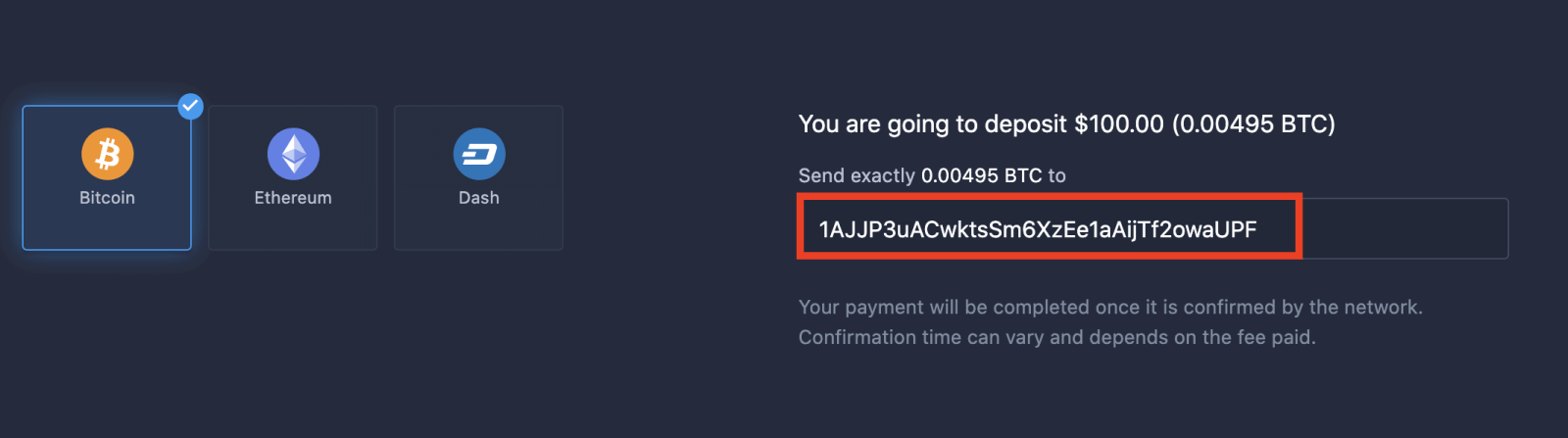
Your payment will be completed once it is confirmed by the network. Confirmation time can vary and depends on the fee paid.
Higher status — more privileges
| Micro | Basic | Silver | Gold | Platinum | Exclusive |
|
For those who prefer a light start. Upgrade to a higher status when ready |
For those who prefer a light start. Upgrade to a higher status when ready | The majority of our clients start with a Silver account. Free consultations included | Smart investments start with a Gold account. Get the most from your account with privileged features | Our best expertise and exclusive account management for serious investors | Ask your account manager for additional information |
|
from $10
|
How to Trade Binary Options on ExpertOption
Features on ExpertOption
We provide the fastest trading using modern technologies. No delays in order executions and most accurate quotes. Our trading platform is available 24/7, including weekends. ExpertOption customer service is available 24/7. We continually add new financial instruments.
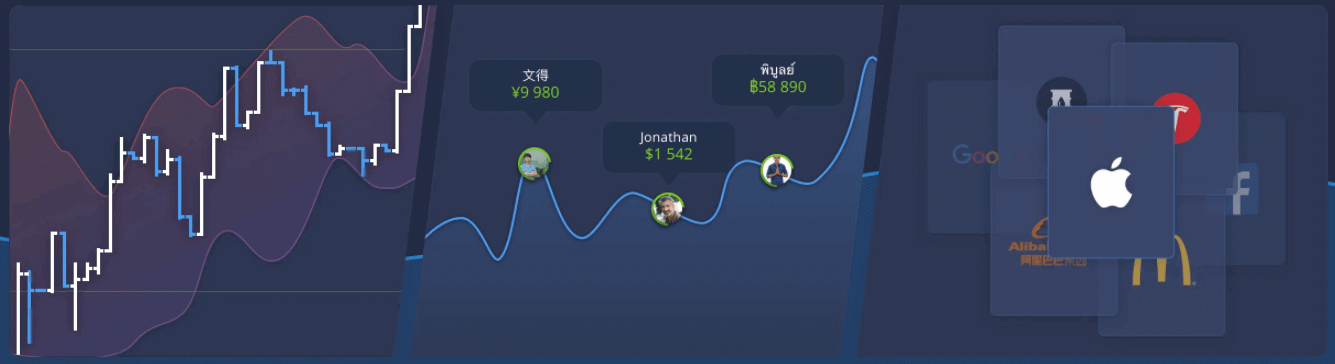
- Technical analysis tools: 4 chart types, 8 indicators, trend lines
- Social trading: watch deals across the globe or trade with your friends
- Over 100 assets, including popular stocks like Apple, Facebook, and McDonald’s
How to Open a Trade on ExpertOption
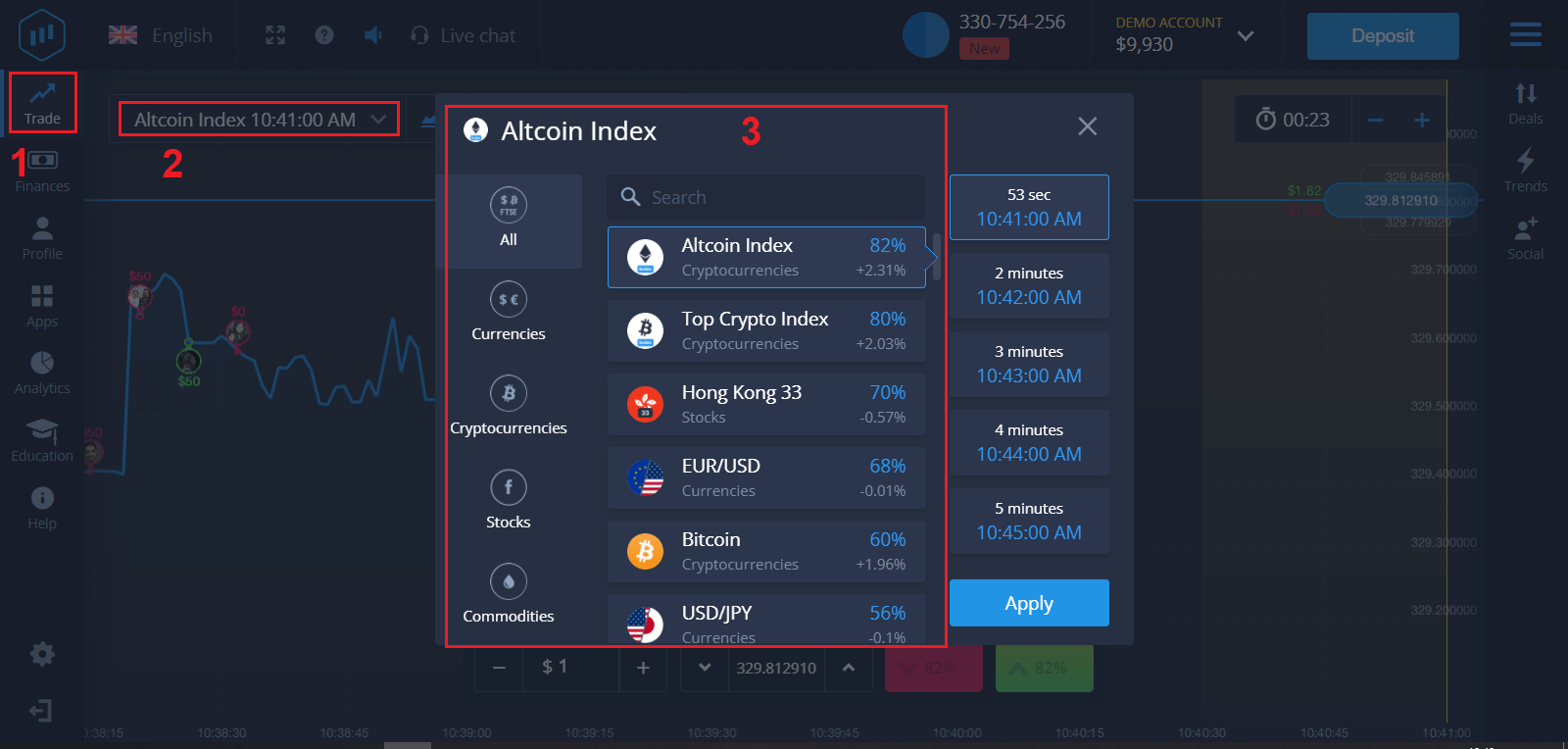
1. Choose an asset for trading
- You can scroll through the list of assets. The assets that are available to you are colored white. Click on the asset to trade on it.
- The percentage determines its profitability. The higher the percentage, the higher your profit in case of success.
All trades close with the profitability that was indicated when they were opened.
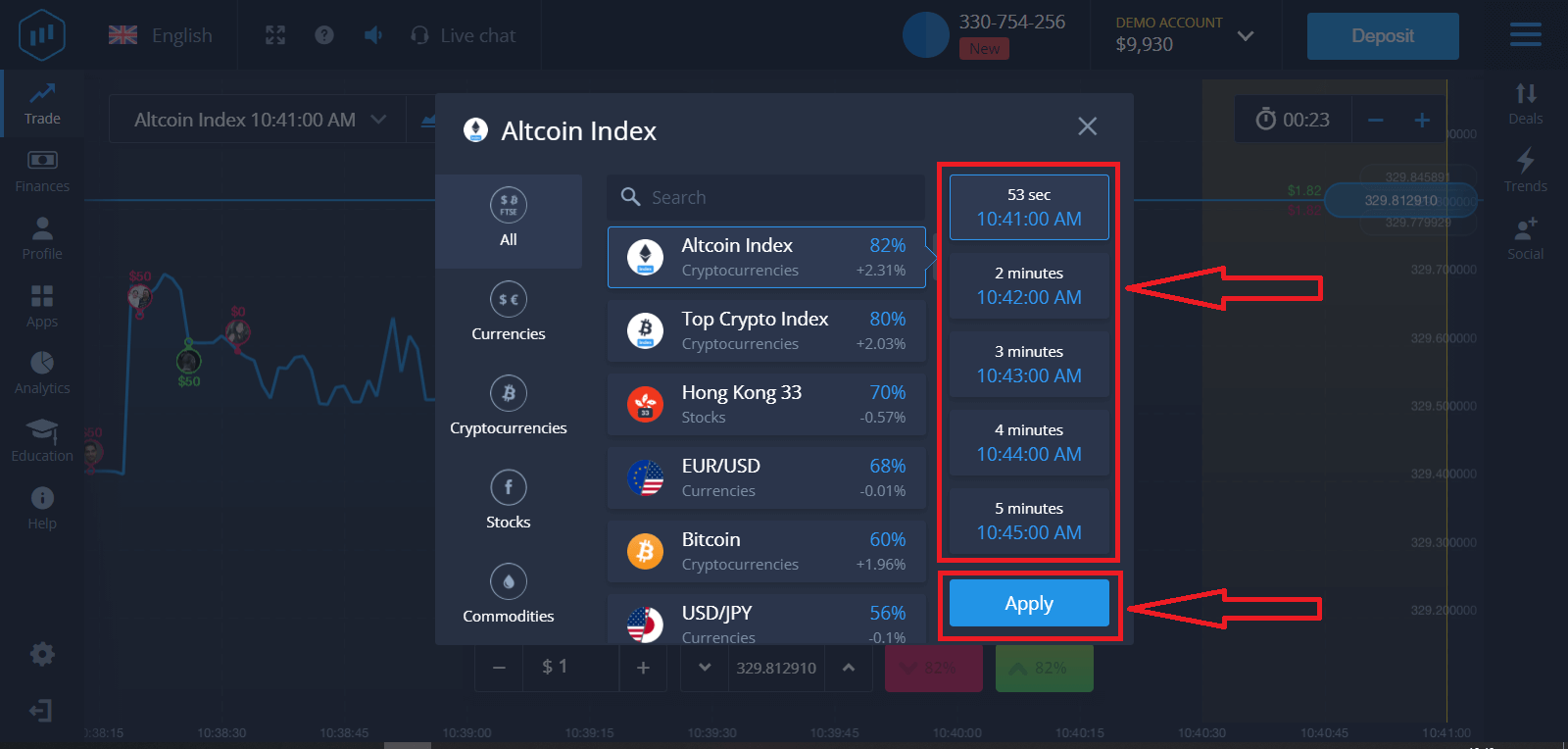
2. Choose an Expiration Time and click the Apply button
The expiration period is the time after which the trade will be considered completed (closed), and the result is automatically summed up.
When concluding a trade with ExpertOption, you independently determine the time of execution of the transaction.
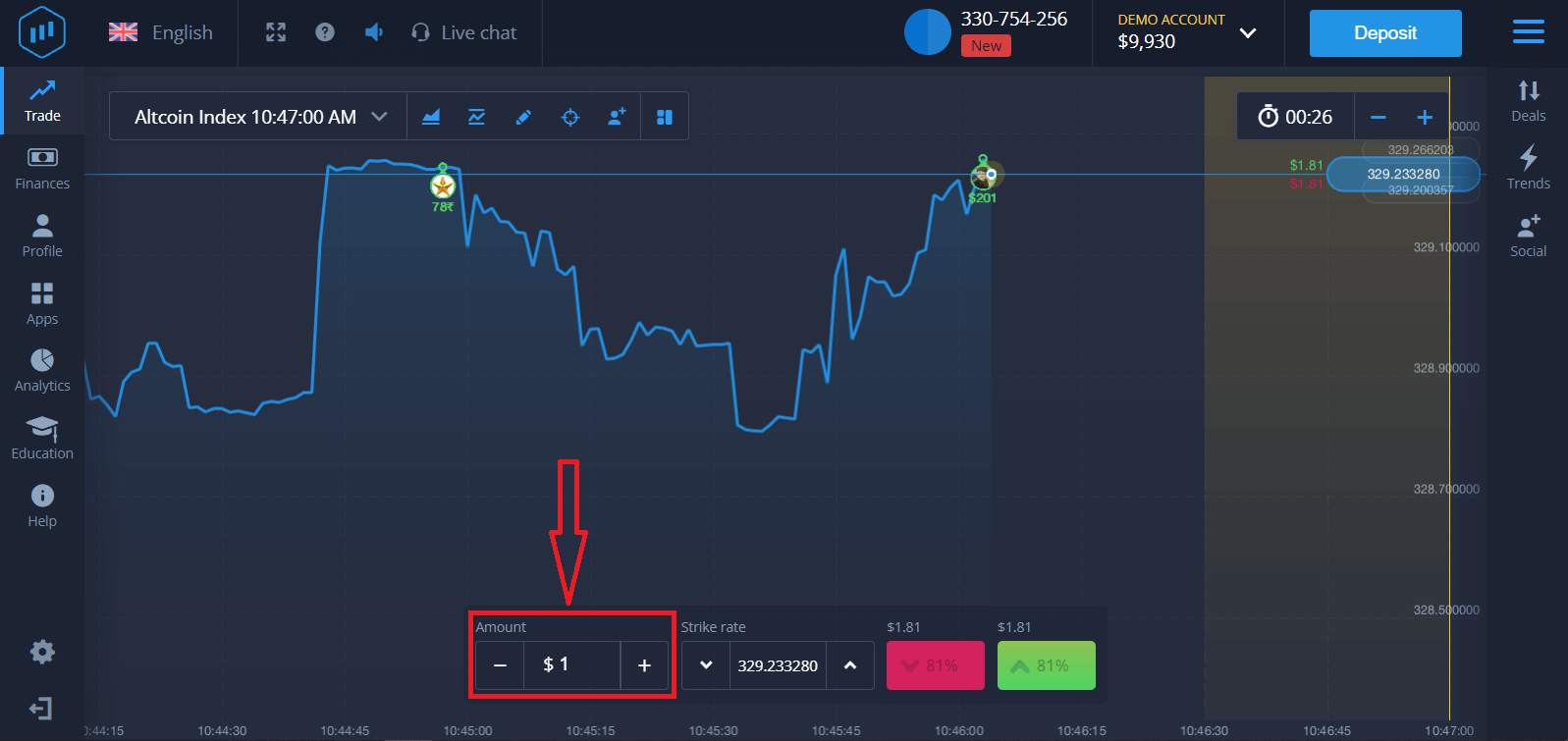
3. Set the amount you’re going to invest
The minimum amount for a trade is $1, the maximum $1,000, or an equivalent in your account currency. We recommend you start with small trades to test the market and get comfortable.
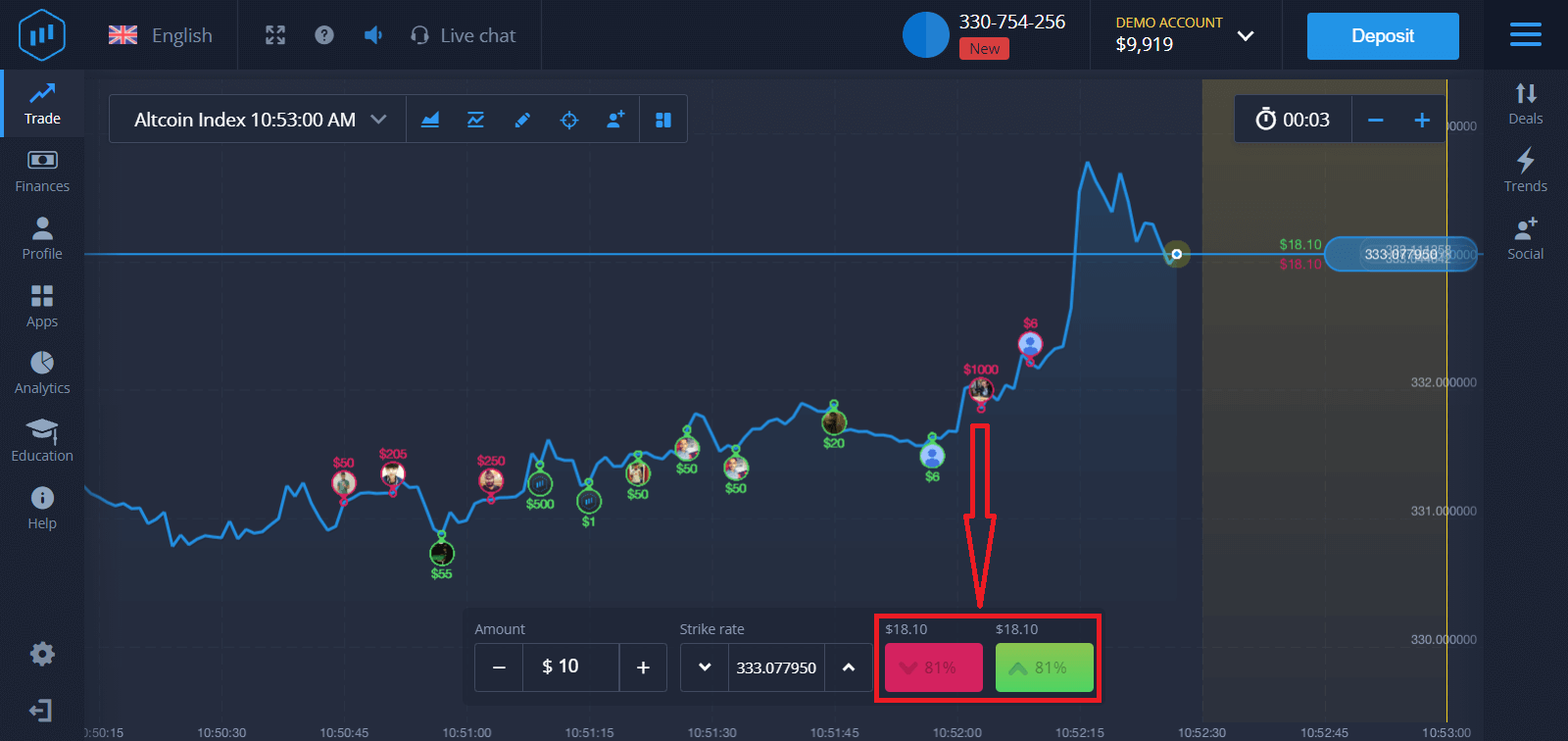
4. Analyze the price movement on the chart and make your forecast
Choose Higher (Green) or Lower (Pink) options depending on your forecast. If you expect the price to go up, press "Higher," and if you think the price is going down, press "Lower."
5. Wait for the trade to close to find out whether your forecast was correct. If it were, the amount of your investment plus the profit from the asset would be added to your balance. If your forecast was incorrect, the investment would not be returned.
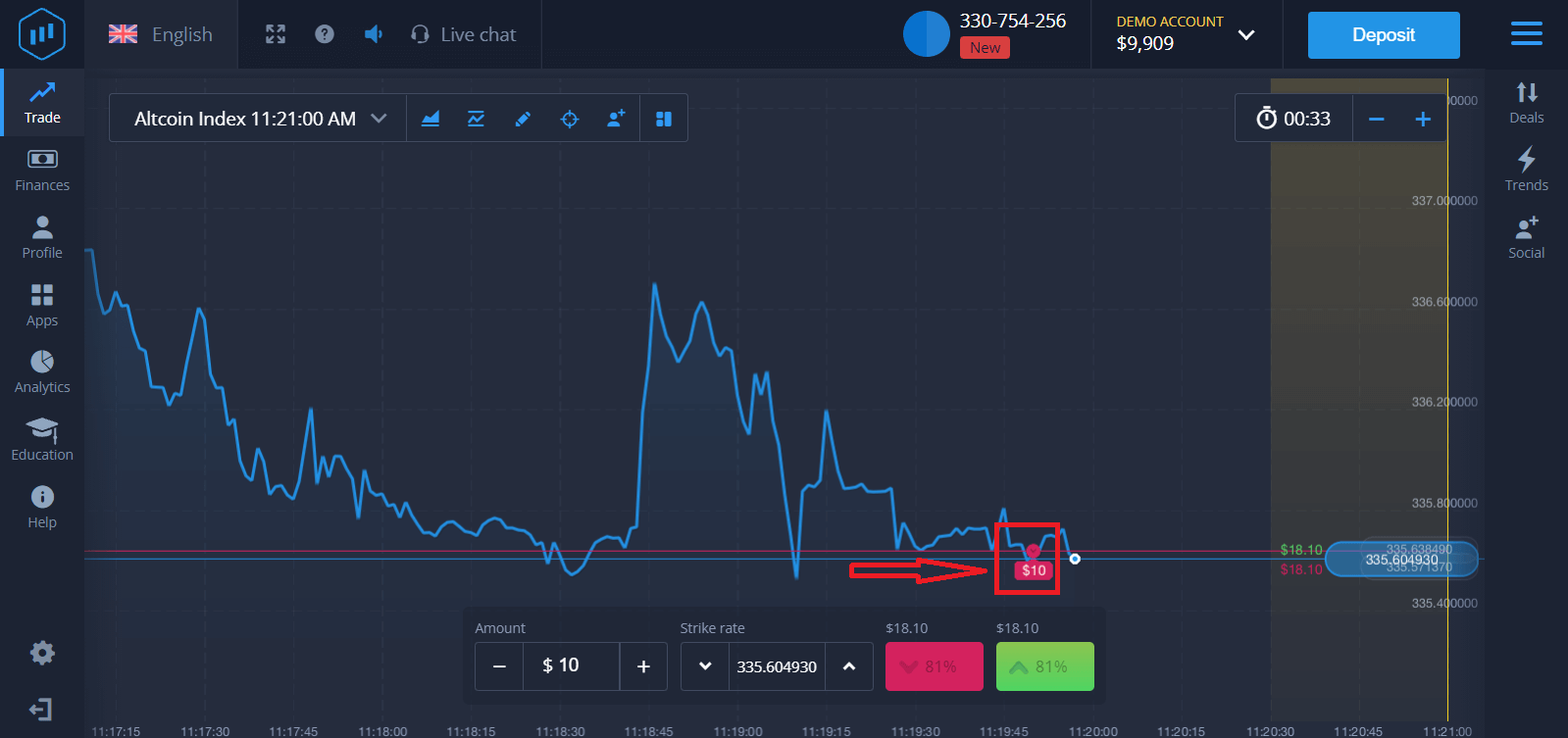
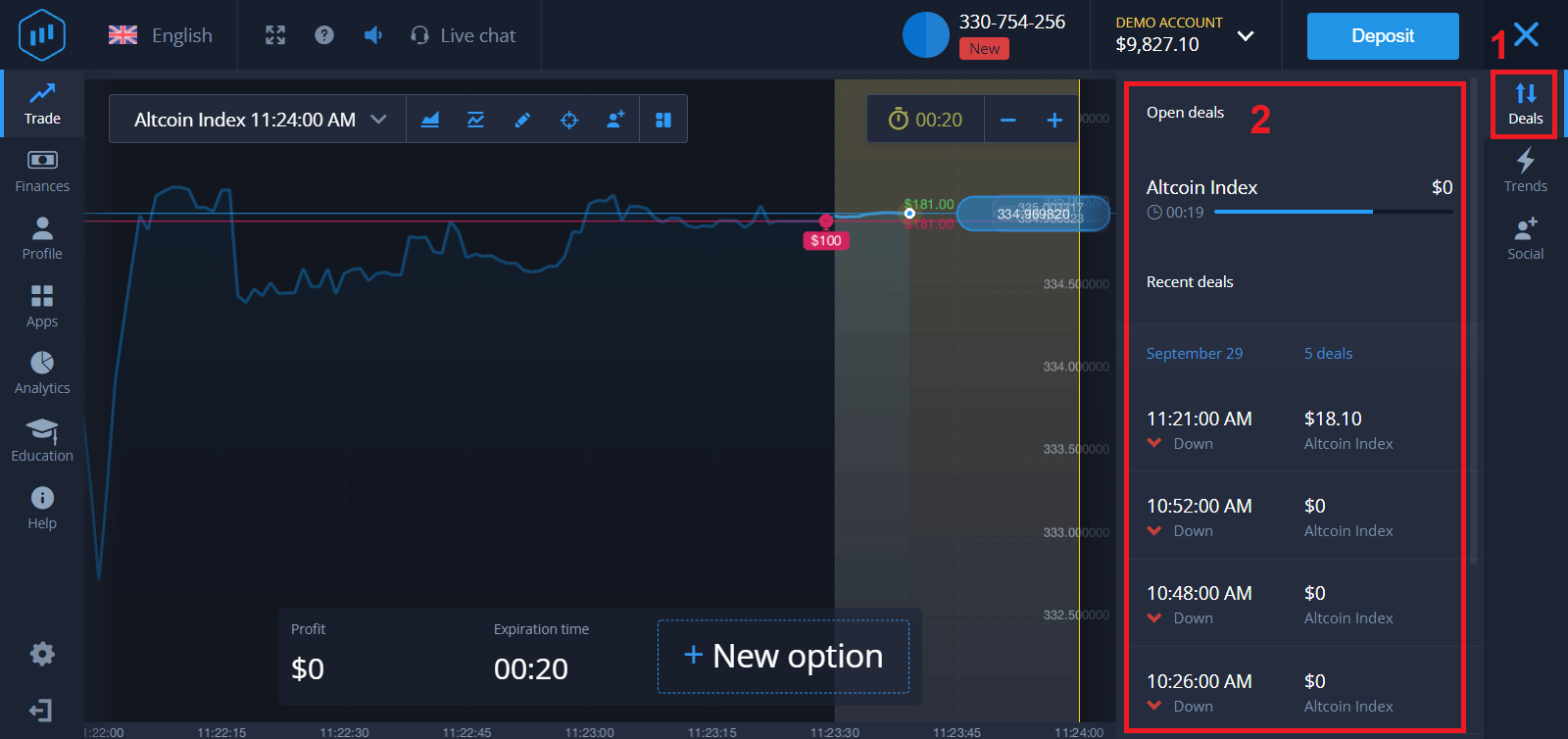
You can monitor the Progress of your Order on the chart.t
Or in the Deals
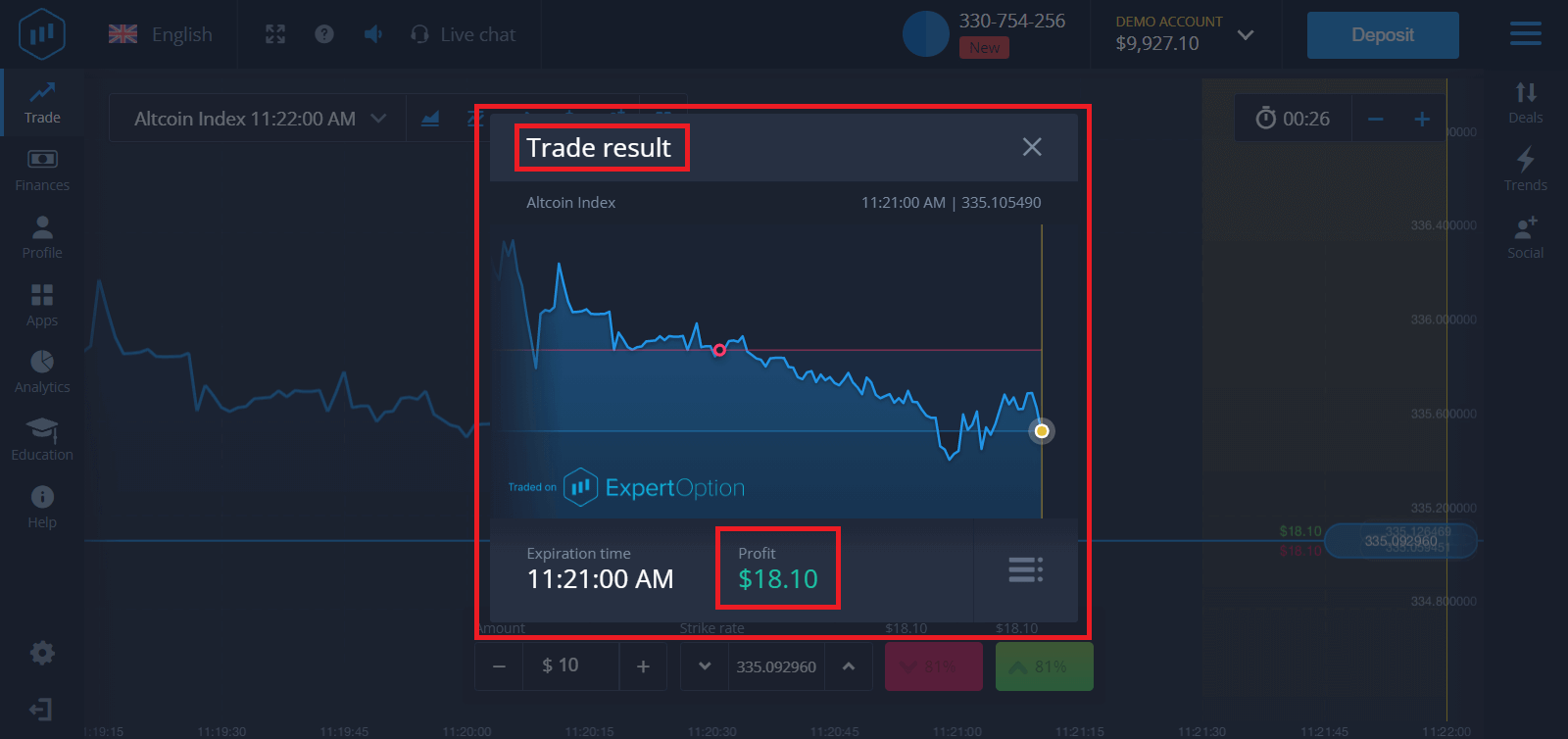
You will receive the notification about the result of your trade when it is finished.
Frequently Asked Questions (FAQ)
Is my profit calculated?
Your profit from a trade can be up to 95% of the investment amount. Profit depends on the current situation of the market.
What is the minimum amount that I can invest?
The minimum amount to invest in a single trade is $1.
Are there any commissions upon making transactions with my trading account?
Our company does not take any commissions on your transactions. But such commissions can be taken by the payment systems or a payment aggregator.
Conclusion: Begin Confident Trading on ExpertOption Today
Depositing money and trading binary options on ExpertOption is straightforward, fast, and secure, making it ideal for both beginners and experienced traders. By funding your account with your chosen method and executing trades with careful analysis and strategy, you can leverage the potential of binary options trading effectively.
Don’t just watch the market—take action. Deposit funds, analyze opportunities, and start trading confidently with ExpertOption today.